
How can i stop my Mobile from getting hot in the Sun?
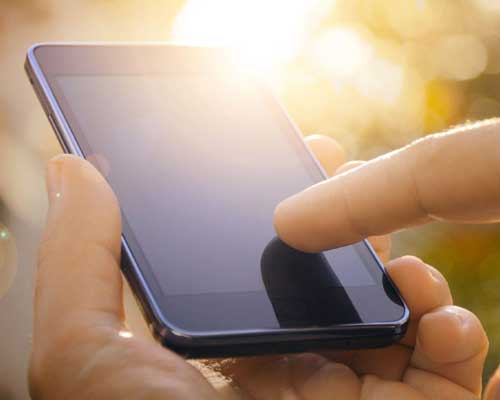
While using your phone, it's normal for it to become warm or increase in temperature. This can typically happen if you are playing a graphically intense video game, video calling, or streaming, especially in hot weather. Heavy use or anything that puts extra strain on your battery can cause your phone to work harder than usual which can lead to overheating.
How to cool your mobile phone
If you find that your smartphone is getting too hot, or is becoming uncomfortable to handle, there are a few steps you can take to reduce the temperature.
1. Move your phone out of direct sunlight
Your phone will continue to heat up if it is kept in sunlight. Move your phone out of the sun and leave it to cool down.
2. Use Device Care
You can use Battery and Device Care to optimise your device. This will help to reduce the memory being used and close the background apps running.
3. Close all unused apps
Your apps will continue using some of the battery and processing power of your phone, even if they have been minimised. Close any apps that you aren't using, especially if they are graphically intensive.
4. Turn down the brightness
While a brighter screen may be easier to see in the sun, it also uses more power from your phone and can increase the temperature. You should make sure that adaptive brightness is turned off in your display settings. Adaptive brightness will automatically increase the brightness when it detects sunlight.
To turn off adaptive brightness:
1. Swipe down from the top of the screen with two fingers to reveal the Quick Panel
2. Tap the arrow next to the bar to adjust screen brightness
3. Tap the switch next to “Adaptive Brightness”
5. Adjust the resolution
A higher screen resolution means that more pixels are being displayed at the same time. This will use more of the memory and battery on your device, causing it to heat up. If you think your device is too hot, try lowering the screen resolution in your display settings.
To adjust the screen resolution, go to Settings > Display > Screen resolution and then select a lower screen resolution.
6. Check your power mode
If your device is feeling warm, you should check which power mode you are using. You should switch to a power saving mode if your device is getting hot. To turn on power saving mode swipe down from the top of your screen with two fingers to reveal the Quick Panel, then tap “Power saving mode”.
7. Take off your phone case
Try removing your phone case to give it more room to cool down.
8. Remove your device from a car cradle
If you are using your device in a car cradle, it is likely to get hotter than usual. In car cradles, your device will be exposed to more sunlight, while using mobile data, Bluetooth and charging. Charging your device will always increase the temperature.
9. Turn on airplane mode
Airplane mode disables non-essential features on your phone. Temporarily turning your phone onto airplane mode may allow it to cool.
Find out how to turn airplane mode on and off on your device
10. Update your phone
App and software updates ensure that your phone is running as efficiently as possible. If you have app or software updates waiting, try installing them on your phone.
Find out how to check for software updates on your device.
Add as a preferred source on GoogleRelated Mobile News & Blog
 Mobile phone brand helio has launched the helio 62 smartphone in Bangladesh, featuring a 7,000mAh battery, 120Hz display, 6GB RAM and Android 16. Helio 62 features a 6.78-inch IPS punch-hole display with a 90% screen-to-body ratio and brightness of up to 800 nits. Its 120Hz refresh rate is designed to provide smoother scrolling and gaming.
The device is powered by a MediaTek....English
Mobile phone brand helio has launched the helio 62 smartphone in Bangladesh, featuring a 7,000mAh battery, 120Hz display, 6GB RAM and Android 16. Helio 62 features a 6.78-inch IPS punch-hole display with a 90% screen-to-body ratio and brightness of up to 800 nits. Its 120Hz refresh rate is designed to provide smoother scrolling and gaming.
The device is powered by a MediaTek....English  TECNO MEGAPAD 2 features an 11-inches 2.5K Eye-Care Display with a 90Hz refresh rate, offering sharp visuals and smooth interactions for streaming, reading, browsing and everyday tasks. The display is TÜV Rheinland certified for flicker-free and low blue light performance, while the tablet's 6.6mm ultra-slim full-metal body combines portability with a premium design, according to a press release.
The tablet is equipped....English
TECNO MEGAPAD 2 features an 11-inches 2.5K Eye-Care Display with a 90Hz refresh rate, offering sharp visuals and smooth interactions for streaming, reading, browsing and everyday tasks. The display is TÜV Rheinland certified for flicker-free and low blue light performance, while the tablet's 6.6mm ultra-slim full-metal body combines portability with a premium design, according to a press release.
The tablet is equipped....English  Tecno has officially launched the Spark 50 Pro smartphone in Bangladesh. Tecno Spark 50 Pro is powered by the MediaTek Helio G100 Ultimate processor and features a 6.78-inches display with a 120Hz refresh rate. The device comes with a 6000 mAh battery supported by 60W Super Charging. The smartphone features a 50MP Sony LYTIA 600 FlashSnap main camera designed to capture detailed....English
  Helio has unveiled its latest smartphone, the Helio 46, in Bangladesh. The company positions it as a feature-rich device with a 120Hz display, a 50-megapixel rear camera, a 6,000mAh battery, and Android 16. According to the company, the Helio 46 targets consumers who prioritise performance, an advanced display, extended battery life, and a premium aesthetic at an accessible price.
Mohammad Abu Sayem,....English
Helio has unveiled its latest smartphone, the Helio 46, in Bangladesh. The company positions it as a feature-rich device with a 120Hz display, a 50-megapixel rear camera, a 6,000mAh battery, and Android 16. According to the company, the Helio 46 targets consumers who prioritise performance, an advanced display, extended battery life, and a premium aesthetic at an accessible price.
Mohammad Abu Sayem,....English  Infinix has recently launched the HOT 70 smartphone in Bangladesh. According to a press release, the Infinix HOT 70 is powered by the MediaTek Helio G100 Ultimate chipset, and features a 120Hz refresh rate display which supports up to 90 FPS gameplay. The device is backed by a 6000 mAh battery with 45W fast charging, along with bypass charging.
The Infinix HOT....English
Infinix has recently launched the HOT 70 smartphone in Bangladesh. According to a press release, the Infinix HOT 70 is powered by the MediaTek Helio G100 Ultimate chipset, and features a 120Hz refresh rate display which supports up to 90 FPS gameplay. The device is backed by a 6000 mAh battery with 45W fast charging, along with bypass charging.
The Infinix HOT....English  The increase in popularity of both iPhones and Androids mean that our mobile devices are now used for more than just phone calls and text messages. The app market is now more expansive than ever before meaning that we can shop, bank, and complete many other tasks no matter where we are in the world.
Now a day’s technology rapidly advancing every....English
The increase in popularity of both iPhones and Androids mean that our mobile devices are now used for more than just phone calls and text messages. The app market is now more expansive than ever before meaning that we can shop, bank, and complete many other tasks no matter where we are in the world.
Now a day’s technology rapidly advancing every....English  Android allows you to encrypt all the data on your de vice. You'll need a password or PIN each time the device is turned on to decode all the data. It may seem tiresome but if the phone gets into the wrong hands, there's no way to access the data without a password or PIN. It can be activated through the Android....English
  Smartphone is now like a pocket computer. Smartphones are not used just to make calls or sending SMS but also to send e-mails, making video conferences, contact via social networking sites, photos, videos, etc. Smartphone sales and demand both has increased at the present time. So before buying a smartphone, a buyer must keep in mind the following points.
* Don't just....English
Smartphone is now like a pocket computer. Smartphones are not used just to make calls or sending SMS but also to send e-mails, making video conferences, contact via social networking sites, photos, videos, etc. Smartphone sales and demand both has increased at the present time. So before buying a smartphone, a buyer must keep in mind the following points.
* Don't just....English  Vivo India announced March 25, 2026 the launch of the vivo Y21 5G and vivo Y11 5G, further strengthening its Y series portfolio with smartphones that promise endurance, offering long-lasting power throughout the day and reliable durability. Designed for consumers who rely on their devices throughout the day, both smartphones deliver dependable all-day performance, complemented by a sleek design and smooth user....English
  Hello readers, today we want to tell you five unused feature of smart phone. Now a days, information technology is growing very fast and almost everyone has smartphones. But we know that most of the user of smartphone who use of smartphones for just sending and receiving call, listening to music, resting in the Internet world and resting in self-evacuation. So most....English
 We do not guarantee that the information on our page is 100% accurate [Disclaimer].
Frequently used country codes in phone models: GL=Global, CN=China, IN=India, US=USA, JP=Japan, EU=Europe (Euro), SG=Singapore, HK=Hong Kong.