
How to free up Storage space on your Phone

The storage capacity on today’s smartphone and tablets is a big step up from what it used to be. But, all of those apps, photos and videos add up fast. Plus, there are a few places on your device where forgotten files may be hiding. Full storage can even slow down your phone. Here are some ways you can free up storage, add more, and save storage space in the future.
Uninstall apps you don’t need
This is the first thing you should look at when looking to free up storage space on an Android device. Apps an take up considerable portion of your storage space. Do you really need that 2 GB game you haven’t played in months?
It’s pretty easy to uninstall apps. If the app is on the home screen, you can press, hold, and drag it to the “Uninstall” option at the top of the screen. Or, you can uninstall an app from the device’s settings.
Use the File Clean feature
Android has its own handy tool for helping you keep your storage free of unnecessary files. You can find this feature in the Files app. Just open the Files app and tap “Clean” at the bottom. The app will suggest things you can delete to free up storage space on your phone. Just follow the instructions.
Delete photos and videos
Photos and videos are likely a big culprit for taking up space on your phone. Free up space on your handset and get rid of some. If you sync your photos with Google Photos,¹ open the app and press your profile icon in the top-right. Hit “Free up space” and follow the on-screen instructions. This will delete your backed-up files from the device itself while keeping them safe in Google Photos.
Whether you sync your photos to the cloud or not, it’s worth looking through your gallery and see what is actually worth keeping. Delete those train tickets, photos of food you’ve already posted, and old screen shots. Remember, on average, a photo takes 5 MB of storage, so it can add up pretty quickly.
Delete your downloads
Your downloads folder might be harbouring files you needed months ago, like forms, menus and tickets. If you don’t need them anymore, then it’s time to start deleting.
The Downloads folder can be found in the Files app, or whichever app you use for local file browsing. If you’re feeling particularly delete-happy, use the menu icon to select all, then delete them all in one fell swoop.
Clearing the cached data
Cached app data is stored in the device to make certain processes faster and provide a smooth user experience. However, cached data takes up you guessed it storage space. You can free up your devices’ internal storage space by clearing cached app data. This will remove the files used by those apps. There is also a potential security benefit here too, as expired cache files can cause privacy and security issues.
Add as a preferred source on GoogleRelated Mobile News & Blog
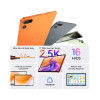 TECNO MEGAPAD 2 features an 11-inches 2.5K Eye-Care Display with a 90Hz refresh rate, offering sharp visuals and smooth interactions for streaming, reading, browsing and everyday tasks. The display is TÜV Rheinland certified for flicker-free and low blue light performance, while the tablet's 6.6mm ultra-slim full-metal body combines portability with a premium design, according to a press release.
The tablet is equipped....English
TECNO MEGAPAD 2 features an 11-inches 2.5K Eye-Care Display with a 90Hz refresh rate, offering sharp visuals and smooth interactions for streaming, reading, browsing and everyday tasks. The display is TÜV Rheinland certified for flicker-free and low blue light performance, while the tablet's 6.6mm ultra-slim full-metal body combines portability with a premium design, according to a press release.
The tablet is equipped....English  Tecno has officially launched the Spark 50 Pro smartphone in Bangladesh. Tecno Spark 50 Pro is powered by the MediaTek Helio G100 Ultimate processor and features a 6.78-inches display with a 120Hz refresh rate. The device comes with a 6000 mAh battery supported by 60W Super Charging. The smartphone features a 50MP Sony LYTIA 600 FlashSnap main camera designed to capture detailed....English
 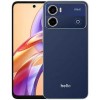 Helio has unveiled its latest smartphone, the Helio 46, in Bangladesh. The company positions it as a feature-rich device with a 120Hz display, a 50-megapixel rear camera, a 6,000mAh battery, and Android 16. According to the company, the Helio 46 targets consumers who prioritise performance, an advanced display, extended battery life, and a premium aesthetic at an accessible price.
Mohammad Abu Sayem,....English
Helio has unveiled its latest smartphone, the Helio 46, in Bangladesh. The company positions it as a feature-rich device with a 120Hz display, a 50-megapixel rear camera, a 6,000mAh battery, and Android 16. According to the company, the Helio 46 targets consumers who prioritise performance, an advanced display, extended battery life, and a premium aesthetic at an accessible price.
Mohammad Abu Sayem,....English  Infinix has recently launched the HOT 70 smartphone in Bangladesh. According to a press release, the Infinix HOT 70 is powered by the MediaTek Helio G100 Ultimate chipset, and features a 120Hz refresh rate display which supports up to 90 FPS gameplay. The device is backed by a 6000 mAh battery with 45W fast charging, along with bypass charging.
The Infinix HOT....English
Infinix has recently launched the HOT 70 smartphone in Bangladesh. According to a press release, the Infinix HOT 70 is powered by the MediaTek Helio G100 Ultimate chipset, and features a 120Hz refresh rate display which supports up to 90 FPS gameplay. The device is backed by a 6000 mAh battery with 45W fast charging, along with bypass charging.
The Infinix HOT....English  The increase in popularity of both iPhones and Androids mean that our mobile devices are now used for more than just phone calls and text messages. The app market is now more expansive than ever before meaning that we can shop, bank, and complete many other tasks no matter where we are in the world.
Now a day’s technology rapidly advancing every....English
The increase in popularity of both iPhones and Androids mean that our mobile devices are now used for more than just phone calls and text messages. The app market is now more expansive than ever before meaning that we can shop, bank, and complete many other tasks no matter where we are in the world.
Now a day’s technology rapidly advancing every....English  Android allows you to encrypt all the data on your de vice. You'll need a password or PIN each time the device is turned on to decode all the data. It may seem tiresome but if the phone gets into the wrong hands, there's no way to access the data without a password or PIN. It can be activated through the Android....English
  Smartphone is now like a pocket computer. Smartphones are not used just to make calls or sending SMS but also to send e-mails, making video conferences, contact via social networking sites, photos, videos, etc. Smartphone sales and demand both has increased at the present time. So before buying a smartphone, a buyer must keep in mind the following points.
* Don't just....English
Smartphone is now like a pocket computer. Smartphones are not used just to make calls or sending SMS but also to send e-mails, making video conferences, contact via social networking sites, photos, videos, etc. Smartphone sales and demand both has increased at the present time. So before buying a smartphone, a buyer must keep in mind the following points.
* Don't just....English  Vivo India announced March 25, 2026 the launch of the vivo Y21 5G and vivo Y11 5G, further strengthening its Y series portfolio with smartphones that promise endurance, offering long-lasting power throughout the day and reliable durability. Designed for consumers who rely on their devices throughout the day, both smartphones deliver dependable all-day performance, complemented by a sleek design and smooth user....English
  Hello readers, today we want to tell you five unused feature of smart phone. Now a days, information technology is growing very fast and almost everyone has smartphones. But we know that most of the user of smartphone who use of smartphones for just sending and receiving call, listening to music, resting in the Internet world and resting in self-evacuation. So most....English
  At presently there are 13 million mobile connections in Bangladesh. The handset market is about 0.8 million taka. For this reason Bangladesh government is giving the opportunity to establish a factory to give lower price handset to the customer. Bangladesh Telecommunication Regulatory Agency (BTRC) is preparing a draft guidelines to issue an agreement on this. The observation of the concerned people is....English
 We do not guarantee that the information on our page is 100% accurate [Disclaimer].
Frequently used country codes in phone models: GL=Global, CN=China, IN=India, US=USA, JP=Japan, EU=Europe (Euro), SG=Singapore, HK=Hong Kong.